

Streaming
Best VPN for Disney Plus: Privacy and travel guide (2026)
The best VPN for Disney Plus should protect network traffic without making ordinary streaming harder. NordVPN is our first choice because it documents Disney+ troubleshooting, supports 10 devices, and includes automatic SmartPlay in its apps. Surfshark suits larger households, while ExpressVPN remains easy to use. Disney+ can detect and block VPN traffic, so none of these services can guarantee access.
Our verdict
Documented Disney+ support, 10 devices, and automatic SmartPlay.
Unlimited connections, but no Smart DNS since February 2026.
Best VPN for Disney Plus comparison
| Criterion | NordVPN | Surfshark | ExpressVPN |
|---|---|---|---|
| Our position | Best overall | Best for many devices | Simple alternative |
| Simultaneous connections | 10 | Unlimited | Depends on the current plan |
| Smart TV option | Smart DNS supports Disney Plus US, with limitations | No Smart DNS since Feb. 2, 2026 | MediaStreamer, without VPN privacy or location choice |
| Disney+ documentation | Dedicated support article | General streaming support | General streaming support |
| Privacy evidence | Published audit history | Published audit history | Published audit history |
| Access guarantee | No | No | No |
| Affiliate status here | Approved link | Approved link | Editorial review link only |
Prices are intentionally omitted because introductory promotions, billing periods, taxes, plan names, and renewal rates change. Check the checkout page before purchasing. A low advertised monthly equivalent is not the same as a monthly subscription price.
How we selected these VPNs
This comparison uses verifiable product documentation rather than a claim that every provider was tested against every Disney+ region. We checked four practical areas:
- Device coverage: apps, router support, and simultaneous connection limits.
- Failure documentation: whether the provider explains Disney+ or streaming connection problems without promising permanent access.
- Privacy evidence: public audit history, protocol documentation, and clear product limitations.
- TV constraints: whether a non-VPN DNS tool exists and what it can actually do.
Streaming compatibility can change when Disney+ updates its network controls or a provider changes infrastructure. A recommendation is therefore a current product assessment, not a promise that a specific title or regional catalog will load.
1. NordVPN: best overall
NordVPN takes first place because its current support material directly addresses Disney+ connection failures. The provider recommends confirming the VPN connection, checking DNS behavior, closing the Disney+ app or browser, and trying another server in the same country. That documentation is more useful than an unsupported claim about a guaranteed server rotation time.
Its apps enable SmartPlay automatically when connected. NordVPN also offers a separate Smart DNS setup for supported devices. The provider lists Disney Plus US among the supported Smart DNS services, while warning that Smart DNS does not protect a device like a VPN and may not work with every streaming service. Smart DNS also requires IPv4 allowlisting and does not offer the same location selection as a full VPN app.
- Good fit: subscribers who want privacy features across computers, phones, tablets, and supported TV platforms.
- Important limit: Disney+ may still reject a VPN or anonymized IP.
- Device count: NordVPN currently documents 10 simultaneous device connections.
Read our complete NordVPN review for audit history, apps, protocols, and renewal considerations.
2. Surfshark: best for many devices
Surfshark is the practical household choice because one subscription allows unlimited simultaneous connections. That is useful when several phones, laptops, tablets, and TV devices need a privacy connection without managing a small device allowance.
The main correction for 2026 is Smart DNS. Surfshark officially ended the feature on February 2, 2026 and instructed existing users to restore their televisions' automatic DNS settings. A television that cannot install Surfshark now needs a supported VPN app, a compatible router configuration, or another connection method. Older articles that say Surfshark Smart DNS works with Disney+ should not be trusted.
- Good fit: households with many compatible devices.
- Important limit: no Surfshark Smart DNS for app-free TVs.
- Access: no provider can promise that Disney+ will accept a VPN endpoint.
Our Surfshark review covers its unlimited-device policy and current privacy evidence.
3. ExpressVPN: simple alternative
ExpressVPN remains easy to understand across major platforms and offers router-oriented options for devices that cannot install a normal app. It belongs in this comparison as a usability alternative, not as a proven speed winner. The old claim that it is automatically the fastest option for 4K was not supported by a reproducible source at the required date and test conditions.
MediaStreamer needs careful wording. ExpressVPN states that it is not a VPN, does not provide VPN privacy or security, and cannot change locations. It may help compatible devices use supported streaming services, but it is not a replacement for an encrypted tunnel and should not be described as a universal Disney+ bypass.
- Good fit: readers who prioritize straightforward apps and router support.
- Important limit: MediaStreamer has no VPN encryption or location selector.
- Commercial status: VPNVertex does not currently present ExpressVPN as an approved affiliate offer.
See the evidence and current plan structure in our ExpressVPN review.
Disney+ VPN setup by device
The safest setup depends on whether the device can run a native VPN app. Install software only from the provider's official website or the device's official app store, then approve the operating system's VPN configuration request. A VPN profile changes network routing, so an unknown profile deserves the same caution as an unknown application.
| Device | Preferred setup | What to check |
|---|---|---|
| Windows or Mac | Full provider app | Correct app publisher, kill switch behavior, split tunneling, and current public IP |
| iPhone, iPad, Android | Official mobile app | VPN permission, location-service requirements for live content, and mobile data use |
| Android TV or Fire TV | Native TV app when supported | Store listing, account region, device software, and streaming quality setting |
| Apple TV | Supported native app or documented network setup | tvOS compatibility, Disney+ plan, and display support |
| Console or app-free TV | Provider-documented router or DNS option | DNS limitations, IPv4 or IPv6 behavior, and lack of encryption |
| Router | VPN client mode on a compatible model | Backup, supported protocol, policy routing, guest network, and recovery access |
Router installation is not automatically better. It can cover devices that lack an app, but it also makes server changes and troubleshooting less convenient. Guest networks or policy rules may bypass the tunnel, and a router profile can affect every connected user. Follow the exact router manufacturer's instructions and preserve a configuration backup before making changes.
A browser extension is another common source of confusion. Some extensions protect only browser traffic rather than the entire device. They do not cover a separate Disney+ application, television, or other browsers. Confirm the product's scope before assuming the connection applies system-wide.
What a VPN cannot change
A VPN changes the network route and visible public endpoint for traffic included in its tunnel. It does not change the Disney+ subscription, household settings, profile rating, linked MyDisney credentials, device compatibility, app-store region, payment method, or rights attached to a title. It also cannot make a computer browser support Disney+ 4K when Disney states that browser playback is limited to 720p HD.
Location can be inferred from more than one signal. Mobile location services, account history, cookies, DNS configuration, and the service's own controls may affect the experience. This is why a successful VPN connection should not be described as proof that Disney+ will show a chosen catalog.
Privacy also has a boundary. The VPN provider can see account information and controls the server that forwards tunneled traffic. Disney+ still sees activity associated with the subscriber's Disney account. A VPN reduces what the local network and internet provider can observe about the connection, but it does not make an authenticated streaming session anonymous.
Using Disney+ while traveling
Disney+ says travelers can stream the content available in the country or region they are visiting. The catalog may differ from the home catalog, and the app may ask the subscriber to confirm that they are away from home. Disney recommends downloading favorite titles before travel when the subscription plan and device support downloads.
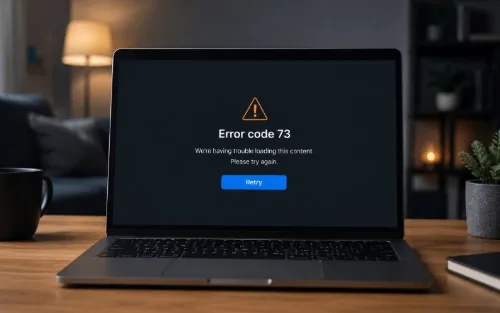
A VPN can protect traffic on a hotel or airport network, but Disney+ may identify the VPN or IP anonymizer and display Error 73. The supported response is to disable the VPN, confirm that Disney+ is available in the current region, check the connection, and restart the app or device. VPNVertex does not recommend cycling through endpoints to defeat Disney's location controls.
Travel checklist- Update the Disney+ app and device software before departure.
- Download eligible titles on a supported mobile device if your plan permits it.
- Keep account and household verification details available.
- Expect the local catalog, language options, and live content rules to differ.
Disney+ VPN errors and supported fixes
| Problem | What Disney+ says | Safe troubleshooting |
|---|---|---|
| Error 73 | Location unavailable, VPN, or IP anonymizer | Disable the VPN, verify regional availability, check the connection, restart the app or device |
| Error 83 | General device or connection problem | Use a supported device, check internet access, restart or update the app and device |
| Buffering or freezing | Compatibility, slow or unstable internet, outdated software, router or modem issue | Update software, restart the app and network equipment, test other apps and connection speed |
| Missing title | Location, profile rating, subscription, or linked-service details may differ | Check profile controls, current region, plan, and MyDisney login details |
| Low quality | Device capability, title format, data setting, display chain, and speed affect quality | Check the title, device, HDMI support, data setting, and connection speed |
Error 83 should not be described as a billing-country mismatch. Disney's current help material treats it as a broad device or connection error. Likewise, Error 73 is not proof that an account has been flagged; it is a location-related access message with several possible causes.
Disney+ speed and 4K requirements
Disney+ recommends 5 Mbps for HD, 8 Mbps for live content, and 25 Mbps for 4K UHD. Those are service recommendations, not promises that a VPN will lose a fixed percentage of speed. Actual throughput depends on the base connection, device, Wi-Fi conditions, protocol, endpoint load, and distance.
Disney+ also states that 4K is unavailable in computer browsers. A supported television or TV-connected device, compatible title, suitable plan, display chain, and adequate connection are required. The service's automatic setting can use about 7.7 GB per hour on a TV at its highest available quality. This makes an old blanket claim that one 4K episode uses exactly 7 GB unreliable.
If performance drops even after disconnecting the VPN, follow Disney's normal streaming checks before blaming the tunnel. If only the VPN connection is slow, our guide to VPN speed problems explains how to isolate server distance, protocol, and local-network bottlenecks.
Can a free VPN work with Disney+?
A free plan may protect some traffic, but it should not be recommended for Disney+ without checking its data allowance, supported devices, privacy policy, ownership, and streaming restrictions. The previous page generalized that free services sell browsing data and cannot afford streaming infrastructure. Those statements cannot be applied to every free provider.
The practical limitation is easier to verify. Streaming consumes substantial data, especially on a TV, and free plans often impose data, location, speed, or device restrictions. Disney+ may also reject any VPN endpoint, paid or free. Start with our evidence-based guide to whether free VPNs are safe before installing one.
Best VPN for Disney Plus FAQ
Final recommendation
NordVPN remains our best VPN for Disney Plus recommendation when the goal is a privacy service that also has current Disney+ support documentation. Surfshark is better for a household with many app-compatible devices, but its retired Smart DNS feature makes it a weaker choice for some televisions. ExpressVPN is a usable alternative for readers who value simple apps, while MediaStreamer must be understood as a non-VPN tool.
Buy a VPN for its privacy, device support, and broader usefulness, not for a permanent access promise that no provider controls. When Disney+ displays a location or VPN error, follow Disney's supported troubleshooting and respect the catalog available where you are traveling.
Check NordVPN Read our NordVPN review
Households often subscribe to more than one service. A Hulu subscription follows its own account, region, and device rules during travel, which makes that guide a useful comparison.
Official sources
- Disney+: Error code 73
- Disney+: availability and travel
- Disney+: streaming troubleshooting
- Disney+: internet speed recommendations
- Disney+: data usage and quality
- NordVPN: Disney+ troubleshooting
- NordVPN: Smart DNS limitations
- Surfshark: Smart DNS discontinuation