

Streaming
Best VPN for Peacock outside USA: 3 research picks

The best VPN for Peacock outside USA cannot change Peacock's official availability rules: the service is limited to the United States and certain US territories, and its terms prohibit access from elsewhere. This guide compares three VPNs frequently discussed for Peacock, explains the limitations, and shows how to troubleshoot legitimate viewing on supported devices.
Quick verdict
Frequently recommended in Peacock VPN guides, with SmartPlay and the NordLynx protocol. Check current plan and renewal pricing.
Lower-cost option with unlimited simultaneous connections. Check current plan and renewal pricing.
Router support and MediaStreamer can help on devices without a native VPN app. Compatibility still depends on the device and Peacock.
Quick answer
NordVPN is the most frequently recommended option across the sources reviewed. Surfshark is the lower-cost alternative with unlimited simultaneous connections, while ExpressVPN is easier to consider for router-based setups. Streaming access is never guaranteed because Peacock controls availability, location verification, and supported devices.
Our research methodology
This guide does not rely on in-house streaming tests. Instead, it synthesizes recent published testing and reviewer consensus to identify which VPNs work for Peacock in 2026. Our process:
01 Reviewed published Peacock testing
We tracked recent Peacock unblock results reported by Cybernews, Tom's Guide, TheBestVPN, and Top10VPN, noting which providers each source recommends and how consistently.
02 Cross-referenced reviewer consensus
A provider only made this list if it was cited by multiple independent sources, not a single review. This filters out one-off results that may not hold as Peacock rotates its blocklist.
03 Checked US server infrastructure
We verified each provider's published US server count and streaming features (SmartPlay, Smart DNS), since infrastructure depth correlates with how long a provider stays unblocked.
04 Verified current pricing
We removed fixed promotional prices because plans and renewal terms change frequently. Confirm the full initial payment and renewal amount on each provider's checkout page.
See our full research methodology for how we source and weigh evidence.
Why Peacock blocks VPNs outside the US
Peacock's Help Center says the service is available within the United States, American Samoa, Guam, the Northern Mariana Islands, Puerto Rico, and the US Virgin Islands. Its current Terms of Use state that users may not access the service from outside the United States and its territories.
Peacock may use different methods to verify location when an account is created or content is played. Availability can also vary by plan, device, local-station rights, sports blackouts, and other licensing restrictions. A changed IP address does not override those rules or guarantee playback.
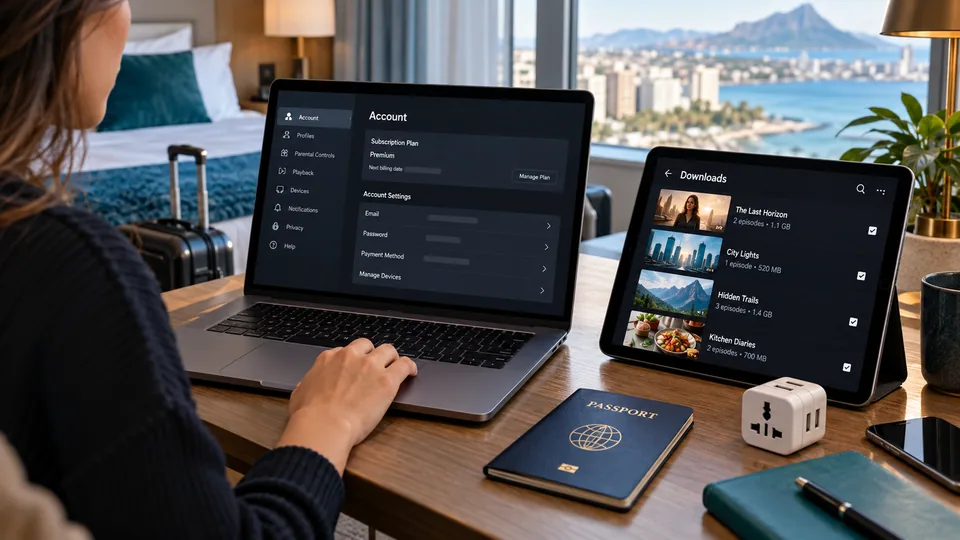
Before traveling. Check the current terms and supported-device list. Premium Plus subscribers can download select titles on supported mobile devices before departure, subject to Peacock's download limits and expiration rules.
If you are new to how all this works, our plain-English guide to what a VPN does covers the basics in 5 minutes.
Does Peacock work in Europe, Israel, China, or Ethiopia?
No official Peacock streaming availability is listed for Europe, Israel, China, or Ethiopia. The same answer applies to other countries outside the United States and the listed US territories. A VPN may change the public IP address, but Peacock can still restrict access under its terms and may use other location or account signals.
Travelers with Premium Plus can check whether a title supports offline download before leaving the United States. Downloads are limited to supported mobile and tablet devices and expire under Peacock's published rules.

1. NordVPN, most consistently recommended
NordVPN takes the top spot because it is the provider most consistently recommended for Peacock across recent independent reviews, including Cybernews, VPNpro, Tom's Guide, and TheBestVPN. NordVPN publishes streaming-oriented SmartPlay functionality, but Peacock compatibility can change and is not guaranteed.
Pros
- Most consistently recommended for Peacock across reviews
- Multiple US locations without relying on an unverifiable fixed server count
- SmartPlay routes streaming traffic to working servers automatically
- NordLynx protocol for fast HD streaming
- Consistently rated among the fastest VPNs in public benchmarks
- 30-day money-back guarantee
Cons
- No native Smart DNS, Smart TVs need a VPN-enabled router
- Renewal price rises after the first term
What reviewers report: Several Peacock VPN guides place NordVPN among their leading options. That is third-party evidence, not a permanent compatibility promise. Check NordVPN's current checkout total and renewal terms before purchasing.
2. Surfshark, best value
Surfshark is the value pick. It offers unlimited simultaneous connections and multiple US locations, with WireGuard available in its apps. Reviewers including Cybernews, TheBestVPN, and Tom's Guide cite Surfshark as a reliable Peacock option, and its unlimited-device policy means a single subscription covers an entire household.
Pros
- Promotional long-term pricing, with renewal terms shown at checkout
- Multiple US server locations
- WireGuard protocol for fast HD streaming
- Unlimited simultaneous devices on one account
- Smart DNS feature included for TVs
- 30-day money-back guarantee
Cons
- Cited slightly less often than NordVPN in Peacock-specific reviews
- Support response slower than ExpressVPN
What reviewers report: Cybernews, TheBestVPN, and Tom's Guide list Surfshark among their recommended VPNs for Peacock, noting its US server coverage and value. It is positioned as the budget choice rather than the outright top pick, but the gap with NordVPN is small for most viewers. Pricing changes by offer and billing term, so compare the checkout total and renewal amount.
3. ExpressVPN, best for Smart TV and Roku
ExpressVPN is the option to examine for a router-based setup. It is the consumer VPN reviewers most often single out for having both router firmware and a working Smart DNS service, MediaStreamer, for devices that cannot run a VPN app. If you brought a Roku, Fire TV, or Apple TV abroad and want Peacock on the actual TV instead of a phone screen, ExpressVPN is the practical answer.
Pros
- MediaStreamer Smart DNS works on Roku, Fire TV, Apple TV, smart TVs
- Native router firmware for Asus, Linksys, Netgear
- Lightway protocol for fast, stable HD streaming
- Strong, fast customer support, frequently praised by reviewers
- 30-day money-back guarantee
Cons
- Most expensive of the three
- Smaller US server footprint than NordVPN or Surfshark
- Device allowance varies by the selected plan
What reviewers report: Top10VPN and TheBestVPN continue to rate ExpressVPN highly for streaming and ease of use, and reviewers single out MediaStreamer as the simplest way to get Peacock onto a TV. ExpressVPN's US fleet is smaller than NordVPN's or Surfshark's, so reviewers position it as the Smart TV and beginner choice rather than the unblock-rate leader. Pricing and device allowances vary by plan; verify both at checkout.
Best VPN for Peacock outside USA comparison
| Feature | NordVPN | Surfshark | ExpressVPN |
|---|---|---|---|
| Reviewer consensus | Top pick (Cybernews, Tom's Guide, TheBestVPN) | Best value pick | Best for Smart TV |
| Pricing | Check initial total and renewal | Check initial total and renewal | Check initial total and renewal |
| US coverage | Multiple US locations | Multiple US locations | Multiple US locations |
| Streaming feature | SmartPlay | WireGuard + Smart DNS | MediaStreamer Smart DNS |
| Smart DNS for TV | No | Yes | Yes (MediaStreamer) |
| Simultaneous devices | 10 | Unlimited | 8 |
| Refund | 30 days | 30 days | 30 days |
What to look for in a Peacock VPN
If you want to evaluate a VPN for Peacock yourself rather than take a list at face value, these are the factors that actually predict success:
US server depth
The single best predictor. A large US fleet lets the provider rotate fresh IPs faster than Peacock can blocklist them. Small fleets get blocked and stay blocked.
Streaming features
SmartPlay, Smart DNS, or a dedicated streaming mode means the provider actively maintains streaming-capable servers rather than leaving you to guess which US server works.
Reviewer track record
A provider cited across multiple recent independent reviews is a safer bet than one with a single good result. Consistency over time matters more than a one-off test.
Money-back guarantee
A 30-day refund window lets you confirm Peacock works for your setup before committing. All three providers above offer one.
Device coverage
If you watch on a Smart TV or console, you need either Smart DNS support or router compatibility, since most TVs cannot run a VPN app directly.
Peacock access checklist before traveling
01 Subscribe to a VPN
First read Peacock's current availability rules and terms. A VPN subscription does not guarantee that Peacock will permit or technically allow access from your location.

02 Install the app
On every device you want to watch on: phone, laptop, tablet. For TVs, set up router firmware or Smart DNS.
03 Check location and account rules
Peacock is officially available only in the United States and listed US territories. Review the current terms before attempting access while traveling.
04 Prepare supported devices
Confirm that your browser, phone, tablet, TV, console, or streaming device appears on Peacock's current supported-device list.
05 Download eligible titles when available
Premium Plus includes downloads for select titles on supported mobile devices. Download limits and expiration windows apply, so verify the title and finish the download before departure.
The same process works for other US-only streaming services. We have a step-by-step guide for watching Hulu outside the US. The same picks also work the other way around, see our best VPN for BBC iPlayer in the USA.
Common Peacock VPN errors and fixes
"Sorry, Peacock isn't available outside the United States"
Peacock detected your real IP. Disconnect the VPN, clear browser cookies for peacocktv.com, reconnect to a different US server, then reload Peacock in a fresh window. Try Atlanta or Dallas instead of New York if NY is blocked.
Stream loads but buffers every 30 seconds
Compare another nearby server and protocol, then test the same connection without the VPN. Providers expose different server information, so do not rely on a universal load threshold.
Peacock app on phone says "geographic restriction"
Peacock states that some features may require reliable location information. Check app permissions, account eligibility, and the current supported-device guidance. Disabling location services may prevent playback rather than fix it.
VPN connects but streams in 480p
Compare the same stream and a fixed speed test with the VPN off and on. Hotel Wi-Fi congestion, device limits, routing, and Peacock playback settings can all reduce quality.
Peacock Live TV and sports broadcasts
Peacock's NFL Sunday games, Premier League soccer, and other live sports broadcasts use additional location verification beyond IP: your account's billing zip code matched against the server location, and sometimes mobile location data. Some live streams will not work even with a working VPN. The on-demand library and original shows are the reliable use case for VPN viewing.
If sports are the only reason you want Peacock abroad, the realistic answer is that it is hit-or-miss. Reviewers consistently note that live sports verification is harder to bypass than on-demand content, so do not rely on a VPN as a guaranteed way to watch a specific live game from outside the US.
Free VPNs and Peacock: why they mostly fail
Free VPNs are not a realistic option for Peacock, and reviewers are near-unanimous on this. The reasons are structural rather than incidental:
Small, crowded IP pools. Free services run a handful of servers shared by huge user bases. Those IPs are easy for Peacock to identify and blocklist, and once flagged, every free user on that IP loses access at once. There is no infrastructure depth to rotate around the block.
Throttled speeds and data caps. Even when a free VPN briefly connects, bandwidth limits and data caps make sustained HD streaming impractical. Peacock content buffers or drops resolution.
What the sources say. Top10VPN and CyberInsider report that the vast majority of free VPNs are blocked by Peacock, and even some paid providers struggle: CyberGhost is cited as unreliable for Peacock, with frequent blocks. Top10VPN notes Windscribe's free tier as a partial exception that sometimes works, but it is not dependable for ongoing access. For a reliable experience, a paid plan from one of the three providers above is the practical choice. Compare current introductory and renewal prices before choosing a paid plan.
FAQ
Verdict
Based on published testing and reviewer consensus, NordVPN is the strongest choice for Peacock outside the USA in 2026: the most consistently recommended provider, with the largest US server fleet to fall back on when one IP gets blocked. Surfshark is the best-value alternative, with solid US coverage for less than half the price. ExpressVPN is the pick if you also need Peacock on a Smart TV or Roku via Smart DNS.
Setup is the same for any of the three: subscribe, install, connect to a US server, open Peacock, sign in. All three offer a 30-day money-back guarantee, so you can confirm Peacock works for your setup before committing.
Peacock is one service among several, and the provider that suits it may not suit the rest of your viewing. Our guide to streaming VPNs compares the same providers across devices, connections, and audit evidence.
Sources
This guide uses official Peacock documentation for availability and device rules, plus third-party VPN coverage for research context. Sources checked July 2026:
- Peacock: Where is Peacock available?
- Peacock Terms of Use
- Peacock supported devices and platforms
- Peacock offline downloads
- Cybernews, best VPN for Peacock TV streaming coverage, 2026
- Tom's Guide, how to watch Peacock from anywhere, 2026
- TheBestVPN, Peacock VPN guide and recommendations, 2026
- Top10VPN, best VPN for Peacock guide, 2026
- CyberInsider, VPN streaming reliability reporting, 2026
- Tom's Guide, Peacock pricing reference, February 2026
Pricing and server counts reflect provider-published and service-published figures at the time of writing and may change. Confirm current details on each provider's and Peacock's website before subscribing.