

Lifestyle
VPNs with port forwarding: supported systems, dynamic ports and plan limits

Port forwarding requires an incoming mapping supported by the VPN provider.
A VPN that allows peer-to-peer traffic does not necessarily accept incoming connections. If your application needs port forwarding, check the operating system, subscription and lifetime of the assigned port before choosing a service.
The practical choice among our three partners
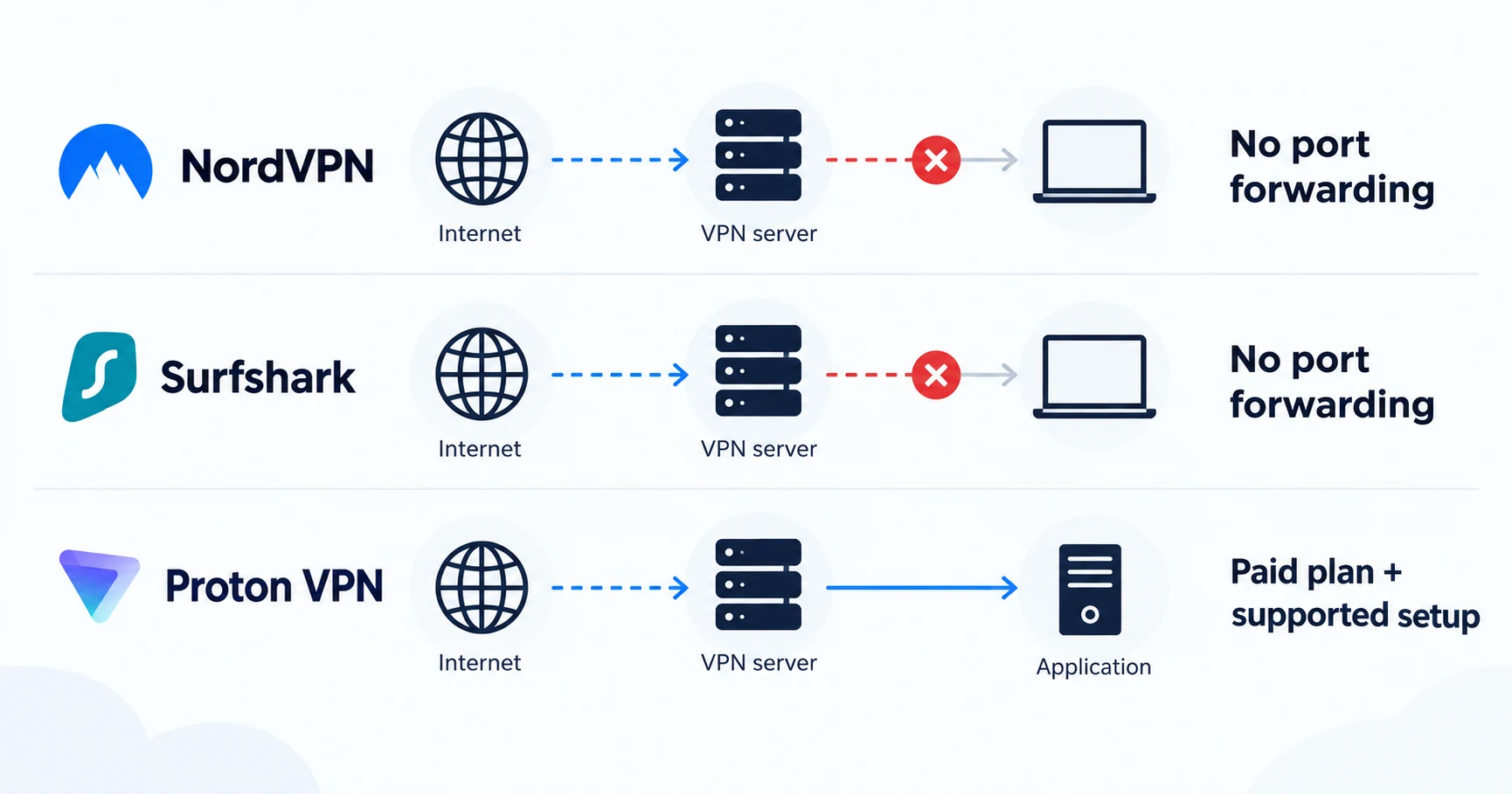
Proton VPN is the relevant option to examine for port forwarding among NordVPN, Surfshark and Proton VPN. Its support documentation describes the feature on paid plans and compatible Windows, macOS and Linux configurations. The macOS implementation is labeled early access. Standard NordVPN and Surfshark VPN subscriptions do not provide the equivalent incoming-port feature in their ordinary consumer service.
This is a feature-based shortlist, not a speed ranking. Proton's assigned port normally changes after reconnection. If your application requires a permanently fixed public port, verify that requirement separately before subscribing. A feature called “port forwarding” is not enough to establish that it fits.
How this guide was researched
This guide compares published provider documentation and the limits stated in the sources below, reviewed on October 14, 2026. Recommendations follow the specific compatibility or plan requirement explained in the article. VPNVertex has not performed device, speed, leak or streaming tests for this guide. Suggested checks are tasks for the reader, not reported test results.
Our research methodology explains how we distinguish provider statements from independent evidence.
Which providers meet the port-forwarding requirement?
| Service | Incoming port on the VPN server | Decision |
|---|---|---|
| NordVPN standard service | Not supported | Remove it from this shortlist if an incoming VPN-server port is essential |
| Surfshark VPN | Not supported | A local router port rule cannot supply the missing server-side function |
| Proton VPN paid plan | Supported on eligible platforms and P2P servers; dynamic assignment | Check the operating-system matrix below, including macOS early-access status |
Proton is the documented fit among these three for this particular function. That does not establish a permanent port, a hosting guarantee or a performance advantage. Free Proton access does not satisfy the paid-plan requirement.
What forwarding actually changes
Many VPN connections allow your device to start an outgoing session but do not let an unsolicited incoming connection reach a listening application. Port forwarding creates a mapping that lets traffic arriving at an assigned port reach the relevant application through the VPN connection.
There are two different places this can happen. A mapping on your home router applies to that router's public connection. A mapping offered by a VPN provider applies at its VPN endpoint. Opening a port on your home router does not create a port on the VPN provider's server.
It is also separate from peer-to-peer permission. A provider can allow P2P traffic without offering incoming ports. Our VPN comparison for torrenting covers the broader use case; this guide focuses on the technical requirement that can eliminate an otherwise suitable subscription.
Read the compatibility matrix before the offer
| Check | What Proton documents | Why it affects your choice |
|---|---|---|
| Subscription | Paid VPN plan | Do not assume the free service includes the feature |
| Platform | Windows, macOS and Linux methods | Follow the instructions for your exact installation |
| macOS status | Early access | Consider whether a developing feature is appropriate for the job |
| Server | Compatible P2P server | Connecting to an arbitrary location is insufficient |
| Assigned port | Usually changes after reconnecting | The receiving application may need updating |
| Fixed hosting requirement | Not established by dynamic forwarding | Do not buy on the assumption of a permanent address and port |
The current Proton support instructions are the authority for the connection method. A manual configuration can have different steps from the graphical app. Do not mix a Windows screenshot, a Linux command and a macOS feature description into a single setup recipe.
Plan for the port to change
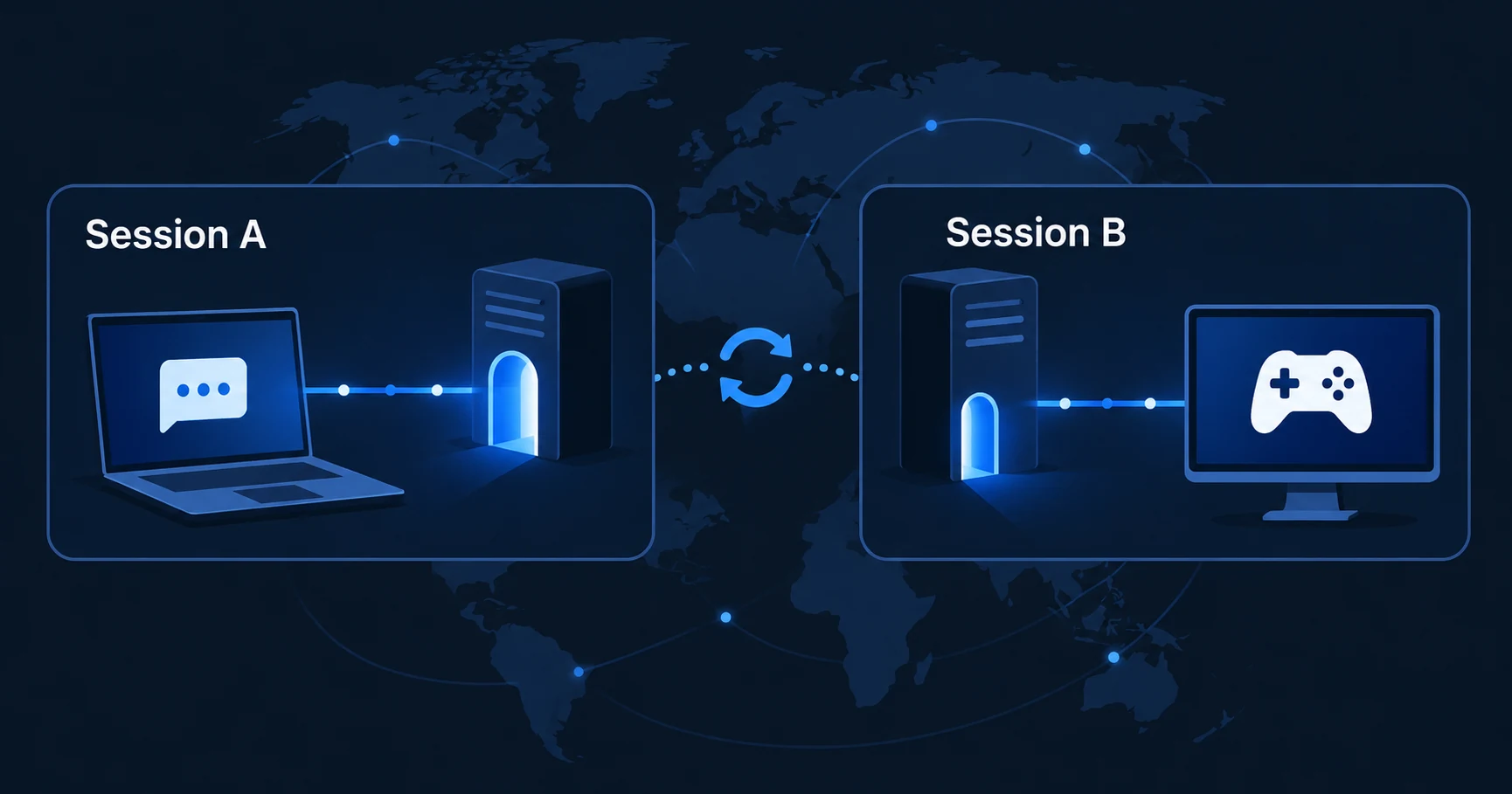
Imagine that the VPN assigns one incoming port, and you enter it in your application. After the connection drops, the next session may receive another port. The application can remain configured for the old value even though the VPN app says it is connected. That mismatch is a reason to check the assigned port again before assuming the service is broken.
Some applications can update a listening port through their own integration or automation. Do not assume that yours does. Confirm the supported method and what happens after a reconnect, restart or server change. If the application has no safe way to follow a changing port, a dynamic consumer VPN mapping may be the wrong foundation. On Linux, the package and feature comparison is another prerequisite because installation methods can have different capabilities.
A dedicated IP is another separate feature. It describes an address allocated for your use; it does not, by itself, establish which incoming ports are available. Likewise, a specialized server add-on from a provider should not be treated as part of the standard subscription.
Verify the whole path
- Confirm that the VPN plan and exact operating system support the feature.
- Choose the server type named in the provider's instructions.
- Enable forwarding and record the currently assigned port.
- Configure the intended application to listen on that port.
- Check local firewall rules for that application.
- Repeat the check after reconnecting, because the assigned value can change.
Only expose the service you intend to run, keep it updated and use authentication where the application supports it. A forwarded port creates reachability; it does not secure the listening software. A port-checking tool can also report a closed port when no application is listening, so interpret its result in the context of the application state.
We have not performed this sequence on your operating system or measured connectivity. The comparison uses the providers' published feature descriptions. For the broader security and subscription assessment, consult our Proton VPN review.
Common purchasing mistakes
Choose for the port your application needs
Proton VPN merits consideration when a supported paid configuration and a changing assigned port fit your application. If you need a stable public endpoint or unattended hosting, resolve that requirement first. For a P2P-focused purchase, return to the torrenting comparison with the port requirement established.
Sources
Provider statements are attributed below. Publication dates and current availability can differ; the review date records when the cited documentation was examined.
- Proton VPN Support: port forwarding
Reviewed October 14, 2026. - NordVPN Support: no port forwarding on shared servers
Reviewed October 14, 2026. - Surfshark: VPN port-forwarding limitations
Reviewed October 14, 2026.