

Streaming
How to unblock YouTube in 2026: five approaches and what each one can do
Compare five approaches to accessing YouTube on restricted networks, with the limits, risks, and device fit of each method.
How to unblock YouTube in 2026 comes down to five approaches, each with its own limits, ranked below by speed, ease, and how well they hold up on restrictive school, work, or national networks. Learning how to unblock YouTube is not the hard part; picking the right method for your situation is.
Our verdict: which method fits your situation
Here is the short decision tree on how to unblock YouTube for your case.
- Blocked at school on a Chromebook you do not own? Method 3 (browser extension) or Method 5 (phone tethering).
- Blocked at school or work on your own laptop? Method 1 (paid VPN app). NordVPN or Surfshark for price and obfuscation.
- Region-locked video on a Smart TV? Method 4 (Smart DNS via your VPN provider's included feature).
- Region-locked video on a phone or laptop? Method 1, server in the target country.
- Traveling to China, Iran, or Turkmenistan? Method 1 with obfuscation on. Install before you fly.
- One-off video, no install possible? Method 2 (web proxy), no sign-in.
If you want a single all-purpose pick, a paid VPN wins on reliability, speed, and safety. Free proxies and free extensions have their place, but they will let you down at the worst moment. Budget $2 to $5 per month, share the plan with your household, and stop worrying about the network you are on. For deeper context on the encryption layer, see our piece on what a VPN tunnel is.
If you want to know how to unblock YouTube in 2026, this guide covers five approaches and the limits of each one, ranked by reliability, speed, and safety. YouTube counts around 2.5 billion monthly logged-in users, yet the platform is regularly blocked on school Wi-Fi, corporate networks, and in roughly 10 countries where the government censors video content. Some methods hold up under heavy restrictions, others fall over the moment a firewall sees them.
I am Simon Phillips, IT specialist, 10+ years in cybersecurity, based in California. Recommendations rely on independent audits and public benchmarks, not paid endorsements.
Why YouTube gets blocked
YouTube gets blocked for four common reasons, and the fix depends on which one you face.
School and campus networks. IT departments filter YouTube to save bandwidth. Most use DNS filtering (they block the youtube.com domain at the resolver) or a firewall rule that drops traffic to Google video IP ranges.
Workplace networks. Corporate firewalls route traffic through a category-based filter such as Cisco Umbrella, Zscaler, or Fortinet. Streaming video is blocked during business hours to preserve bandwidth for VoIP and SaaS apps.
Restrictive countries. Governments in China, Iran, Turkmenistan, North Korea, Eritrea, and parts of central Asia block YouTube outright. The Great Firewall of China is the most technically advanced and uses deep packet inspection to drop VPN traffic that is not obfuscated.
Region-locked videos. Some videos are geo-restricted by the uploader or the rights holder (music labels are the biggest offenders). You see the message that the video is not available in your country. This is a copyright choice, not a country-wide block.
Each situation calls for a different tool. A school block can be solved with a browser extension; a government block usually cannot. For a broader primer, see our explainer on what a VPN is.
Method 1: how to unblock YouTube with a VPN (fastest, most reliable)
A Virtual Private Network encrypts your traffic and sends it through a server in a country of your choice. Your school firewall, your ISP, and your government see only encrypted data going to the VPN server. This is the most reliable way to unblock YouTube because it works at the transport layer, below application-level blocks.
Here is how to unblock YouTube with a VPN in four steps:
- Pick a paid provider with a large server network. Free VPNs are slow, sell data, and are often blocked by school firewalls anyway.
- Download the app on your phone, laptop, tablet, or Fire Stick.
- Connect to a server in a country where YouTube is available (the United States, the United Kingdom, Germany, and Japan are solid picks).
- Open YouTube. The video loads in the region of the server you picked.
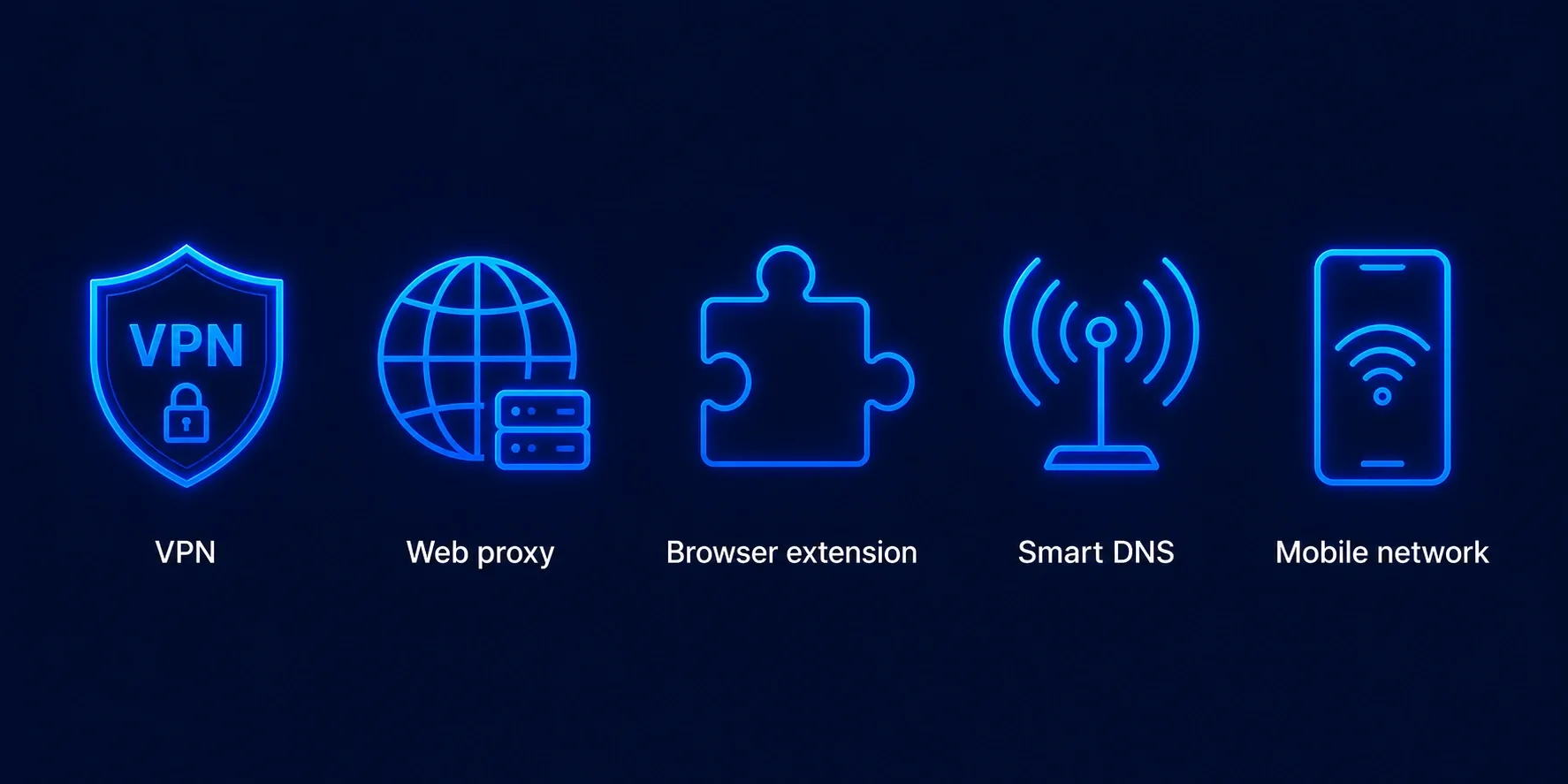
Three providers stand out in 2026 for video streaming, based on speed tests and third-party audits.
NordVPN runs NordLynx (a WireGuard implementation), which posts some of the highest sustained throughput in public benchmarks and comfortably handles 4K YouTube. Its no-logs policy has been audited by Deloitte and previously by PWC. Pricing runs about $3 to $5 per month on the two-year plan. See our full NordVPN review.
ExpressVPN uses Lightway, open-sourced and audited by Cure53, with servers in 105 countries. Prices run around $6.67 per month on the annual plan; the app quality is polished on TVs and routers.
Surfshark allows unlimited simultaneous devices, the practical pick for a whole family. Its no-logs claim was verified by Deloitte in a 2023 audit. Pricing sits around $2 to $3 per month.
Method 2: web proxy sites (free but risky)
A web proxy is a site you visit that fetches YouTube on your behalf and displays the video in its own frame. Popular options include CroxyProxy, ProxySite, and Hide.me proxy. No install, no signup, just paste a YouTube URL and press go.
The upside is free and instant. The downside is real: the proxy operator sees every video you watch and can inject ads or tracking scripts. Reddit threads across r/privacy consistently warn against logging into any Google account through a free proxy, because the operator can capture your session cookies. Many school and corporate filters also blocklist the most popular proxy domains within days.
Use a web proxy only for a one-off video on a device you do not care about. Do not sign in. If you rely on a proxy more than twice a week, switch to a VPN.
Method 3: browser extension VPN (works on restricted school laptops)
Browser extension VPNs (technically HTTPS proxies inside your browser, not full-tunnel VPNs) are the trick that works on Chromebooks and locked-down school laptops where you cannot install desktop software. This is often the only way to unblock YouTube on a managed device. Extensions such as Urban VPN, Windscribe, and the free tier of Hotspot Shield install straight from the Chrome Web Store and route only your browser traffic.
The good: they install without admin rights, they are free at the entry level, and they defeat DNS-level school blocks because the browser resolves the YouTube domain on the extension side. The bad: throughput on free tiers is capped (often 1 to 2 Mbps), video quality drops to 480p, and the free versions inject ads. Some free extensions have been caught selling browsing data. Stick to Windscribe or the free tier of a name-brand paid provider whose audits you can look up.
One caution. Managed Chromebooks often block installs from the extension store at the policy level. If the Chrome Web Store button is missing, this method is closed off, and you should go to Method 5.
Method 4: Smart DNS (for smart TVs, Apple TV, no encryption)
Smart DNS reroutes only the parts of your traffic that reveal your location (DNS lookups for streaming domains). It does not encrypt anything, so it will not defeat a school firewall or a government block. What it does well is fix geo-restricted videos on devices that cannot run VPN apps: older Samsung and LG Smart TVs, Apple TV boxes, and some gaming consoles.
With no encryption overhead, Smart DNS is slightly faster than a VPN for 4K. NordVPN, ExpressVPN, and Surfshark all include a Smart DNS feature with a paid subscription (SmartPlay, MediaStreamer, and Smart DNS). You paste two DNS addresses into your TV network settings and reboot.
Do not use Smart DNS to try to unblock YouTube on a corporate or school network. It will fail. Its only sensible use is a region-locked video at home. Our guide to the best VPN for streaming goes deeper on this.
Method 5: mobile data and tethering (last resort)
Turn off Wi-Fi, switch to cellular data, and open YouTube. Your carrier is not filtering YouTube (unless you are on a restricted corporate MDM plan), so the platform loads normally.
To watch on a laptop, enable the phone's hotspot and connect the laptop to it. On iOS the toggle is Settings, Personal Hotspot. On Android it is Settings, Network, Hotspot and tethering.
Two caveats. Video eats data fast: a 30-minute 1080p YouTube session burns about 1 gigabyte. And some schools and workplaces prohibit personal hotspots on managed devices, and the endpoint agent can detect it.
How to unblock YouTube at school and at work
Most school and work blocks fall into two categories, and the right way to unblock YouTube depends on which you face.
DNS filtering only. The network resolves youtube.com to a block page. Any tool that bypasses the local resolver works: a browser extension VPN, encrypted DNS in Chrome or Firefox, or the phone-hotspot trick. This is the most common setup in K-12 schools.
Deep packet inspection. The network drops encrypted traffic to unknown VPN servers, and the block page appears whether you use plain HTTPS or a proxy. Only a paid VPN with obfuscation gets through. NordVPN's obfuscated servers, Surfshark's Camouflage mode, and ExpressVPN's automatic obfuscation on TCP port 443 are designed for exactly this scenario.
On legality: in the United States, the United Kingdom, most of the EU, Canada, and Australia, using a VPN to reach YouTube is legal. Your school or employer's policy may forbid it; the consequence is disciplinary, not criminal.
How to unblock YouTube in restrictive countries (China, Iran, Turkey)
Country-level blocks are the hardest case. YouTube is fully blocked in China and, per Human Rights Watch reporting, has been intermittently blocked in Iran. Turkey has restricted YouTube several times, notably in 2014 and 2015, and continues to throttle it during political events. Turkmenistan and North Korea maintain permanent blocks.
Here, only a VPN with strong obfuscation reliably works. Ordinary WireGuard or OpenVPN traffic is detected within seconds by the Great Firewall and by Iran's SmartFilter. What you need is one of these:
- Obfuscated servers. NordVPN labels them clearly. Turn on the Obfuscated Servers preset and let the app pick a location.
- Stealth or Camouflage modes. ExpressVPN's Automatic protocol and Surfshark's Camouflage disguise traffic as regular HTTPS.
- Shadowsocks or Trojan protocols. Popular among users inside China; some VPN providers bundle these, others do not.
Two practical points on how to unblock YouTube abroad. Download the VPN app before you enter the country, because provider sites are blocked once you land. Keep a backup provider installed too. Our guide to the best VPN for China tracks which providers currently get through.
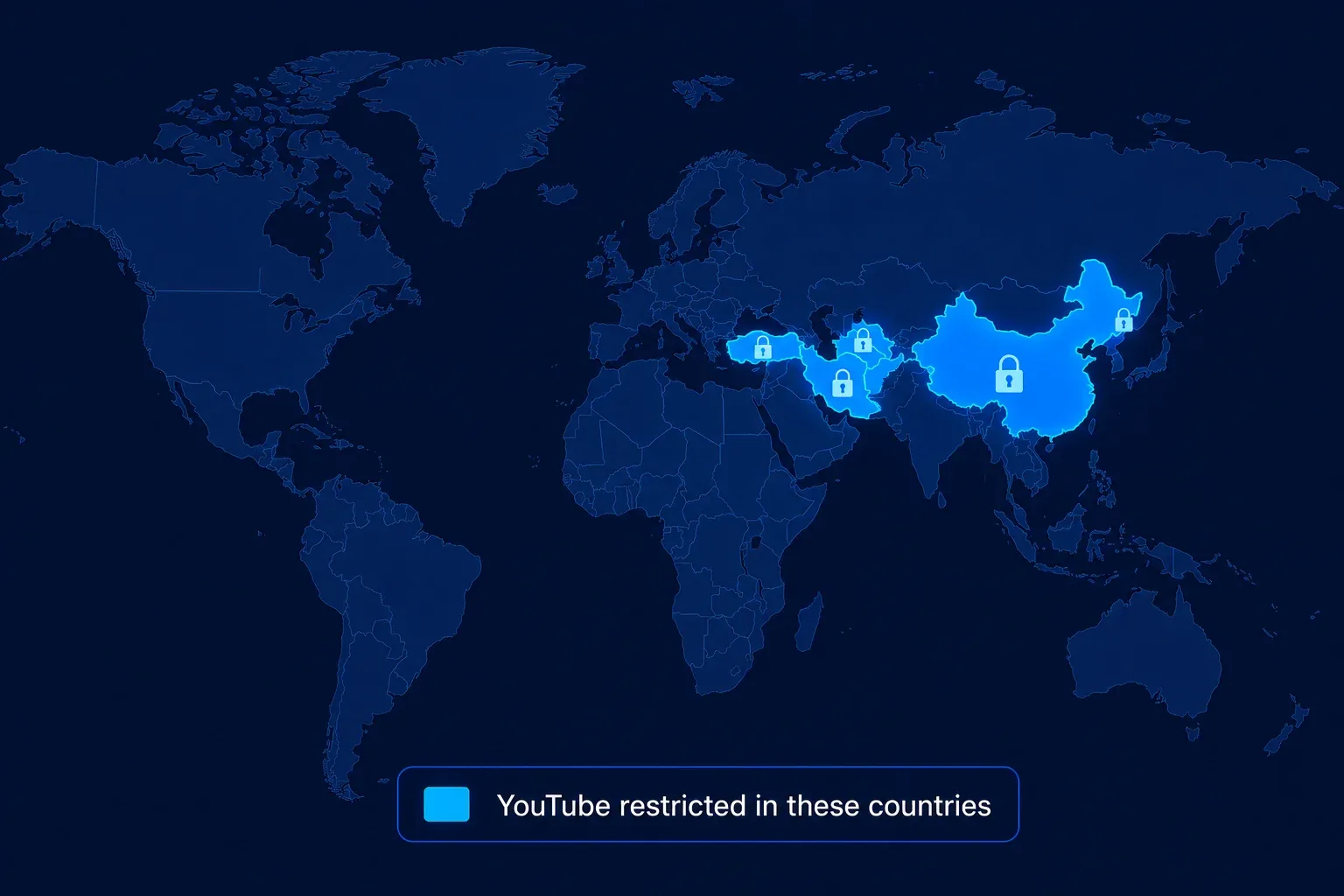
Legality varies. VPN use is a grey area in China and is technically forbidden without state approval in the UAE and Iran. Enforcement against ordinary users has been rare but not zero.
Network-level filtering changes what each method can do. Our Turkey VPN guide explains the role and limits of obfuscation, while the documentary Reddit discussion guide shows why community reports need to be checked against current documentation.
Frequently asked questions about how to unblock YouTube
Sources
- YouTube Help: video unavailable by country or region
- Google for Education: YouTube Restricted Mode
- Human Rights Watch country reporting