

Lifestyle
VPNs for Firefox: built-in protection, extensions or a full VPN app?

Browser protection and device-app protection answer different needs.
Firefox users now have three choices to distinguish: Firefox's own built-in browser protection, a provider's extension and a full VPN application. The right starting point is the traffic you want to route, not the number of products with “VPN” in their name.
Choose browser coverage or broader app coverage
If your need is confined to Firefox, first check whether Firefox's built-in VPN is available in your installation. Mozilla's feature page describes browser-only routing with an allowance of up to 50 GB per month. It does not cover other applications. The allowance and feature availability shown in your browser should be checked before you rely on it.
Proton VPN offers a Firefox extension to free and paid accounts. Surfshark also provides an extension and identifies its scope as browser traffic. A separate operating-system VPN app is the route to investigate when your need includes other applications. Its exact coverage still depends on the platform, exclusions and configuration.
How this guide was researched
This guide compares published provider documentation and the limits stated in the sources below, reviewed on October 14, 2026. Recommendations follow the specific compatibility or plan requirement explained in the article. VPNVertex has not performed device, speed, leak or streaming tests for this guide. Suggested checks are tasks for the reader, not reported test results.
Our research methodology explains how we distinguish provider statements from independent evidence.
Compare provider extensions for Firefox
| Service | Documented Firefox option | What the comparison establishes |
|---|---|---|
| NordVPN | Subscription-based Firefox extension | Routes Firefox browser traffic; it does not cover unrelated desktop apps |
| Surfshark | Firefox extension included with its VPN subscription | Compare the extension settings separately from the full VPN app |
| Proton VPN | Firefox browser extension | Check the current account entitlements and available features before choosing a plan |
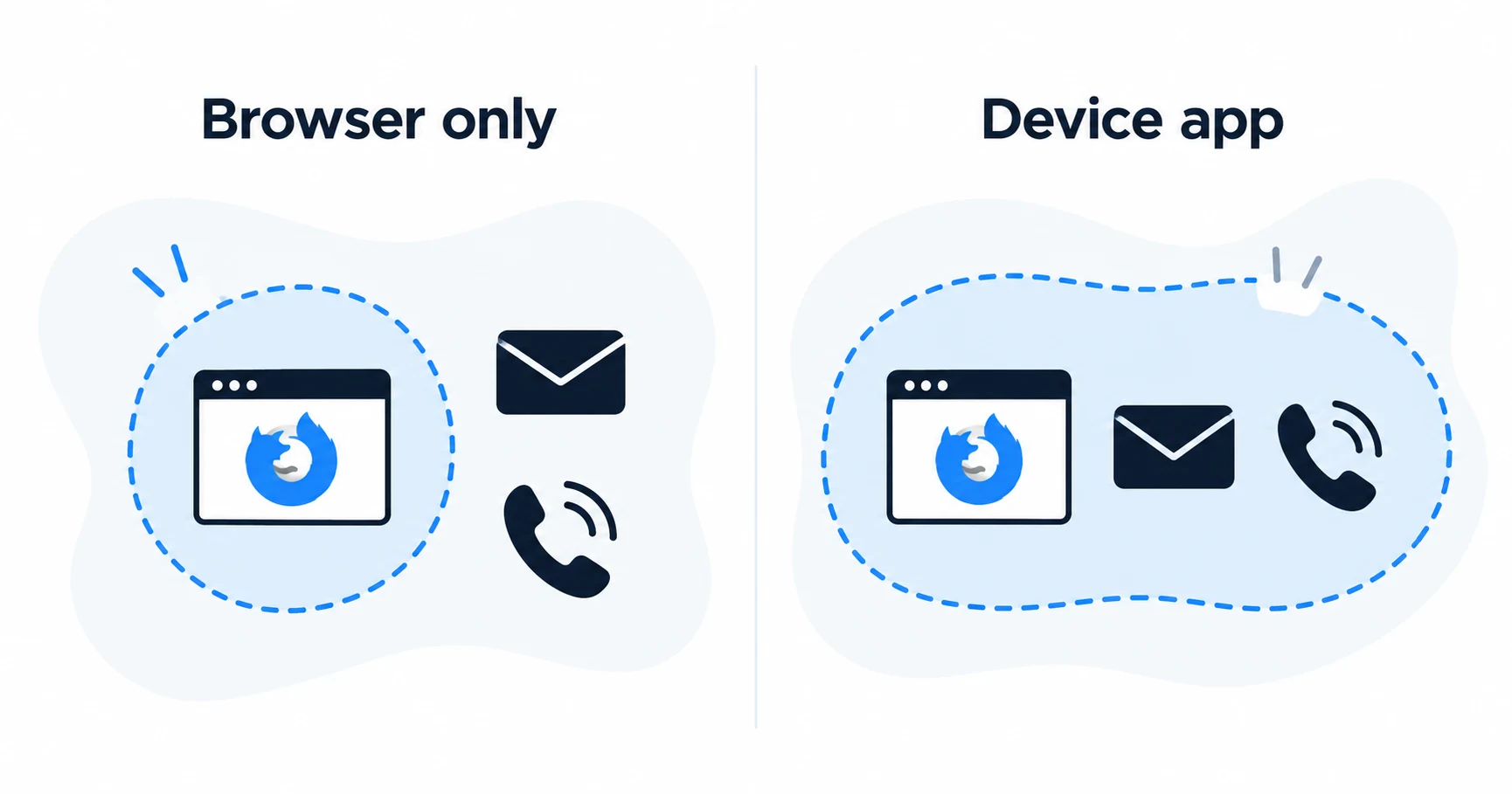
These are provider extensions. Firefox’s own built-in browser VPN is a separate option discussed below. If you also need to route a game, email client or other desktop application, compare the operating-system VPN app instead. We have not tested extension performance or leak behavior.
Three approaches, different boundaries
| Approach | Where it acts | Reason to consider it | Check before relying on it |
|---|---|---|---|
| Firefox built-in VPN | Firefox browser traffic | A browser-specific need without another extension | Availability, allowance and site exceptions |
| Provider extension | The browser where it is installed | A supported provider account and browser routing | Free versus paid controls and extension permissions |
| Operating-system app | Traffic routed through the system VPN | Other apps also need the tunnel | Platform support, exclusions and disconnect behavior |
The built-in option is not the same product as Mozilla's separately sold full VPN service. This article compares scope; it does not recommend purchasing that separate service.
Read the built-in allowance carefully
Mozilla explains that Firefox's built-in feature routes browser traffic through a proxy service powered by Fastly. Its feature page states an allowance of up to 50 GB per month and describes location selection in Firefox version 151 and later. Those descriptions do not prove availability on every device, account or installation.
The page also carried a banner about unlimited data through August when reviewed for this article. That banner is not a basis for promising unlimited usage in October. Check the allowance displayed in the current browser and the current support instructions. If the option is absent, establish eligibility before assuming that an update or a subscription will enable it.
Private browsing is a separate function. Opening a private window does not, by itself, mean a VPN route is active. Look at the status of the actual routing feature you intend to use.
When a provider extension adds value
Proton's Firefox extension is available for free and paid accounts according to its official download page. That gives a reader a way to investigate browser routing without automatically committing to a paid subscription. Verify which controls and locations are included in the plan you choose.
Surfshark's Firefox page describes browser-specific protection. It can make sense for an existing subscriber who wants a supported extension, but it does not make a separate email client or a game follow the same route. Install from the provider's official listing and check the publisher rather than choosing by the extension's name alone.
A practical reason to prefer an extension is wanting browser routing distinct from the rest of the computer. A practical reason to avoid it is expecting protection for everything else. The Chromebook app-versus-extension guide shows why this boundary matters on a system that may run several application environments.
Use a full app when the requirement crosses browsers
Suppose Firefox handles your browsing, a separate application handles calls, and a cloud-sync program runs in the background. Checking the IP address in Firefox establishes only what that browser request used. It does not prove that the call or sync application followed the same route.
A supported VPN app is the appropriate starting point for broader routing. Check whether split tunneling excludes anything, whether an application-level kill switch applies to your software, and whether the platform has documented exceptions. We have not tested these combinations in this article.
Use the platform-specific guides to Mac app selection and Linux packages and missing features when choosing a full application. A brand-wide feature list can obscure differences that matter more than the brand itself.

Avoid adding layers without a reason
Running a browser extension over an already connected VPN app can create two different routing decisions. It can also make troubleshooting less clear. Start with the tool that covers the task, confirm its behavior, and add another only for a specific supported purpose.
If a site fails to load, review site exceptions and the provider's guidance before changing several settings at once. A browser connection working through one location does not guarantee that the same website accepts another.
Firefox VPN questions
Pick the smallest scope that meets the job
For Firefox alone, check the built-in feature and a reputable provider extension before subscribing. For other applications, compare a supported operating-system app. The next useful check is the actual package for Linux or the download channel for Mac.
Sources
Provider statements are attributed below. Publication dates and current availability can differ; the review date records when the cited documentation was examined.
- Proton VPN: Firefox extension
Reviewed October 14, 2026. - Surfshark: Firefox extension
Reviewed October 14, 2026. - Firefox: current built-in VPN feature page
Reviewed October 14, 2026. - NordVPN: Firefox extension
Reviewed October 14, 2026.