

Education
Do I need a VPN at home in 2026? An honest answer
Do I need a VPN at home? It is one of the most common questions people ask once they understand what a VPN is, and the honest answer is that it depends on what you do online and who you are hiding from. Your home WiFi is already encrypted, and most websites already use HTTPS, so a VPN is not the blanket necessity some ads suggest. There are clear cases where it earns its place at home, and others where it adds little. This guide draws the line honestly.
Quick answer: do I need a VPN at home?
For most people, a VPN at home is useful but not essential.
The traffic between your device and the websites you visit is usually already encrypted by HTTPS, and your home network is protected by your router password. Where a VPN adds real value at home is in hiding your browsing from your internet provider, stopping bandwidth throttling, and reaching content tied to another region. If none of those apply to you, you can live without one at home and still save it for public WiFi, where it matters far more. If you are still new to the basics, start with our guide to what a VPN is.
What a VPN actually does on a home connection
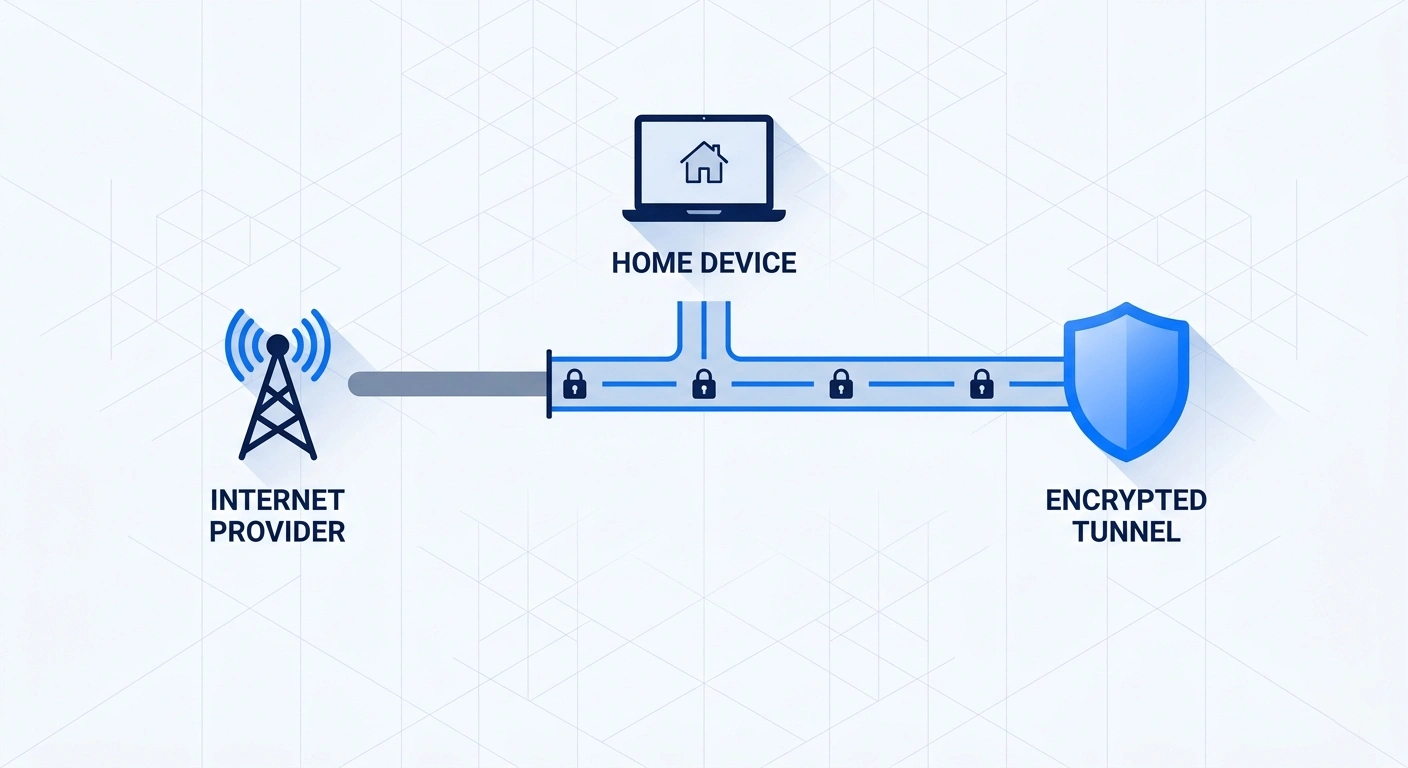
A VPN encrypts the traffic leaving your device and routes it through a server, which swaps your real IP address for the server’s. On a home connection, two of those effects matter and one is mostly redundant. Hiding your IP and encrypting the tunnel are real benefits, because they stop your internet provider from logging which sites you visit. The redundant part is local encryption, since your WiFi is already encrypted by WPA2 or WPA3 and most sites already run HTTPS. So the home value of a VPN is less about the local network and more about what your provider can see and what region your traffic appears to come from.
When you do need a VPN at home
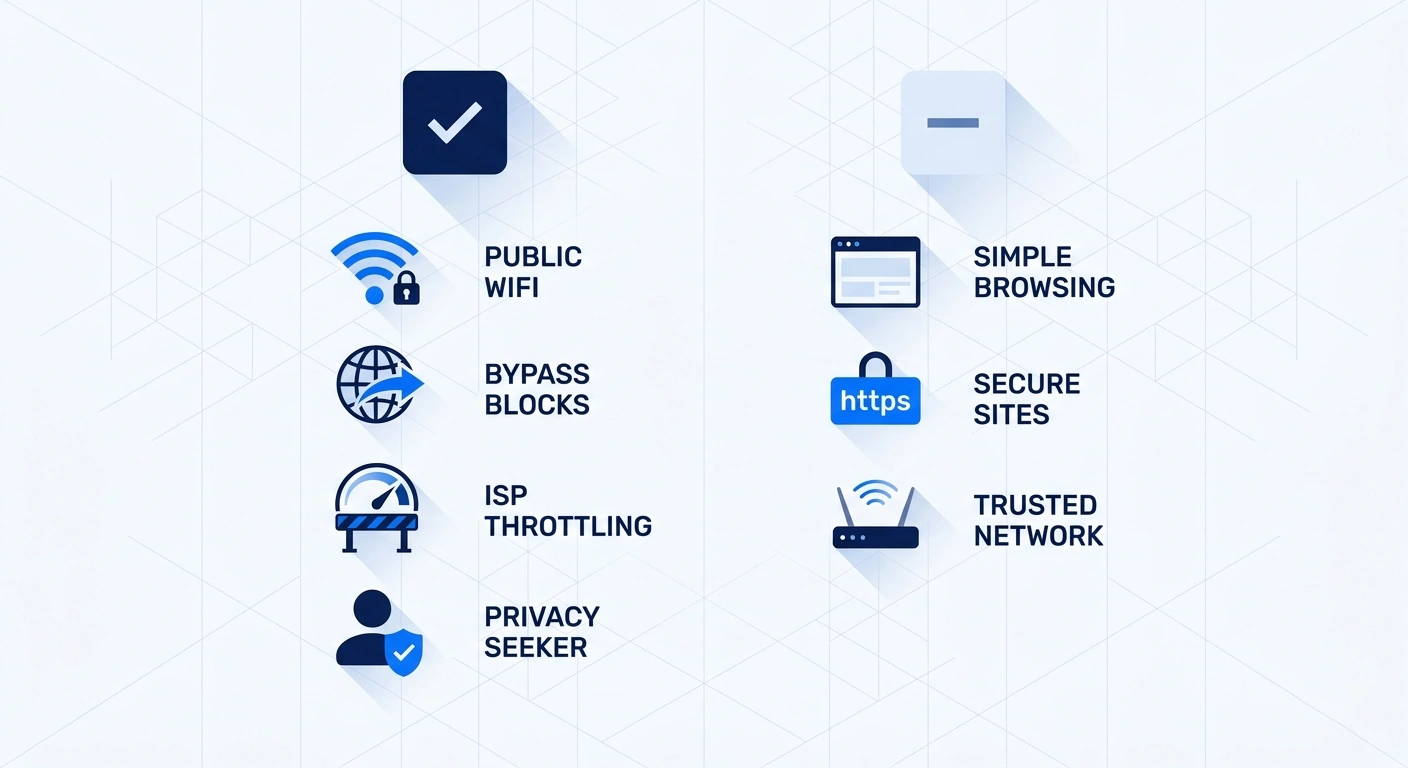
Several situations make a VPN genuinely worth running at home:
- Your provider throttles or sells data. If your internet provider slows specific traffic or sells anonymized browsing data, a VPN hides what you are doing so it cannot be shaped or sold.
- You torrent. A VPN keeps peer-to-peer traffic private from your provider and other peers. See our look at free VPNs before trusting a free one for this.
- You want content from another region. Reaching a streaming library or service tied to a different country needs a server there.
- You work remotely with IP rules. Some employers restrict access to a known IP, which a dedicated VPN address provides.
- You share the network. On a building or shared connection, a VPN keeps your activity private from whoever runs the router.
When you probably do not need one at home
It is just as important to know when a VPN adds little. If you mainly browse mainstream sites that already use HTTPS, check email through an encrypted app, and bank through an app that pins its own security, the encryption a VPN adds is largely duplicating protection you already have. If you have no concern about your internet provider seeing your traffic and no need to change your apparent location, a home VPN is a convenience rather than a necessity. There is no harm in running one, but you should not feel you are exposed without it. Honesty matters here, because plenty of marketing overstates the home risk.
Home VPN decision table
A home VPN is worth considering when it solves a specific privacy or routing problem. It is optional when the protections already built into your network and the services you use cover your actual risk.
| Your situation | Recommendation | Why |
|---|---|---|
| You want to reduce the browsing detail visible to your internet provider | Useful | The VPN moves your connection through an encrypted tunnel, although the VPN provider becomes part of the trust equation. |
| You use a shared or building-managed network | Usually useful | You do not fully control the router or every person who can administer the local network. |
| Your employer requires a corporate VPN | Use the required configuration | A work VPN protects access to company systems. It is different from a consumer privacy subscription. |
| You mainly bank, shop, and read email over WPA2 or WPA3 and HTTPS | Optional | A VPN adds another privacy layer, but it does not replace secure websites, updates, or account protection. |
| You want one connection for devices that cannot run a VPN app | Consider router setup | Read the VPN setup guide before changing router settings. |
| You need local printers or selected apps to bypass the tunnel | Consider split tunneling | Our split tunneling guide explains the privacy tradeoff. |
The deciding question is not whether a VPN is always beneficial. It is whether it addresses a real need on your home connection without creating unnecessary cost or complexity.
Home versus public WiFi
The clearest case for a VPN is not at home at all. Public WiFi in cafes, airports, and hotels is shared and often unencrypted, which is where a VPN does its most important work by encrypting everything you send over an untrusted network. If you only run a VPN in one place, make it public networks rather than your own living room. For people who are on the move constantly, that case becomes a daily one, which our best VPN for digital nomads guide covers in depth. At home, the same app is there when you want it for the reasons above, but the urgency is lower.
What a VPN will not do for you
A VPN is a privacy tool, not a complete security suite, and overselling it does more harm than good. It does not stop malware, so you still need good habits and protection against malicious downloads. It does not block phishing on its own, beyond the tracker filters some providers add. And it does not make you anonymous to services you are logged into, because once you sign in to an account, that company knows it is you regardless of your IP. If you want to understand where a VPN sits next to other tools, our comparison of VPN, proxy, and smart DNS lays out what each one is actually for.
FAQ
Final word
So, do you need a VPN at home? If you want to keep your browsing private from your internet provider, stop throttling, torrent, or reach content from another region, the answer is a clear yes.
If you mostly browse encrypted sites and have no specific privacy concern, a home VPN is a reasonable convenience rather than a must-have, and the stronger case is always public WiFi. The honest position is that a VPN is a useful tool with real limits, not a magic shield. Decide based on what you actually do online, not on fear, and you will know whether it belongs on your home network. If the answer is yes, our step-by-step VPN setup guide covers the install on each platform, including the router option.